Acorn 8 is out and it's fine
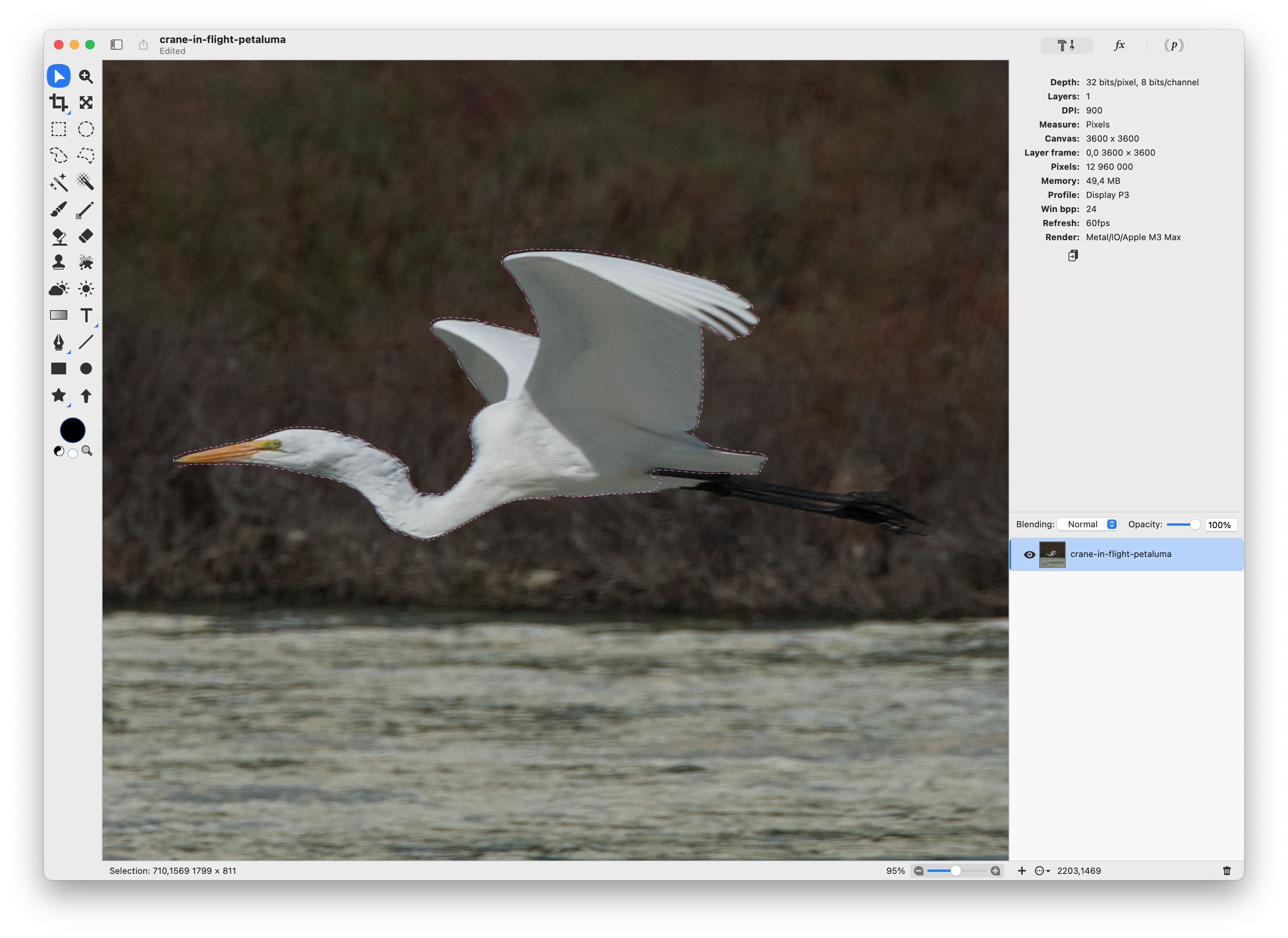
Acorn's latest version has dropped and it's $20 (this is an introductory price; thanks to the App Store's lack of support for upgrades, it's a whole new app and you need to delete the old one). Still $20 (or even $40) is dirt cheap for my preferred Photoshop replacement.
But, does it blend?
The home page describes its new features.
- AI Subject Detection: from my quick experiments it seems about as good as the magic wand, i.e. not great (open the image in a new tab and see how bad a job it selecting the crane).
- On Canvas Ruler: um, OK it's nice I guess.
- Live Text Tool: this is surfacing functionality we get in preview.
- JPEG-XL support: this plays to Acorn's strong suit. It has already replaced GraphicConverter as my tool of choice for converting files between image formats (notably for creating .webp files).
- Data Driven Graphics: haven't tried this. Maybe useful?
- LUT Support: this is nice but the included set of LUTs isn't great.
- Improved export functionality: again, plays to Acorn's strengths.
- Animated GIF and PNG export: convert layers to frames, which is fine, but the main thing we all want is to handle video and there are dedicated tools for this Acorn isn't going to compete with.
A couple of other observations.
The text-on-path tools are very powerful (I like the dedicated circle text tool since that's a very common use case) but the user interface for them is quite fiddly. E.g. figuring out how to actually type some text on a path took some doing, and I'm not sure I remember how I did it.
Acorn continues to improve its vector tools, in some ways better than dedicated vector editors such as Graphic and Amadine. I found myself working on a vector project I started in Amadine— which I reviewed recently— because its text tools aren't nearly as good and its booleans turn out to have issues too. Both of these things Acorn 8 did with aplomb.
Conclusions
All the stuff that already made Acorn the best of breed remain as good or better than ever. E.g. the way its non-destructive CoreImage-powered filters work (both in terms of speed, usability, and non-destructiveness) just leaves everything else in the dust and it's still the only tool other than Photoshop with deep automation capabilities.
I'm really not that impressed by the new features, but it doesn't matter. Acorn continues to be the best all-round bitmap wrangling tool on Mac (or Windows, for that matter) and if they want to release a new version every few years and sell it for peanuts, I for one will continue to upgrade.